

Generating your Hibob API Key
1
Login to Hibob
Login to your Hibob account and click on your account avatar in the bottom left corner. Select API access from the dropdown menu.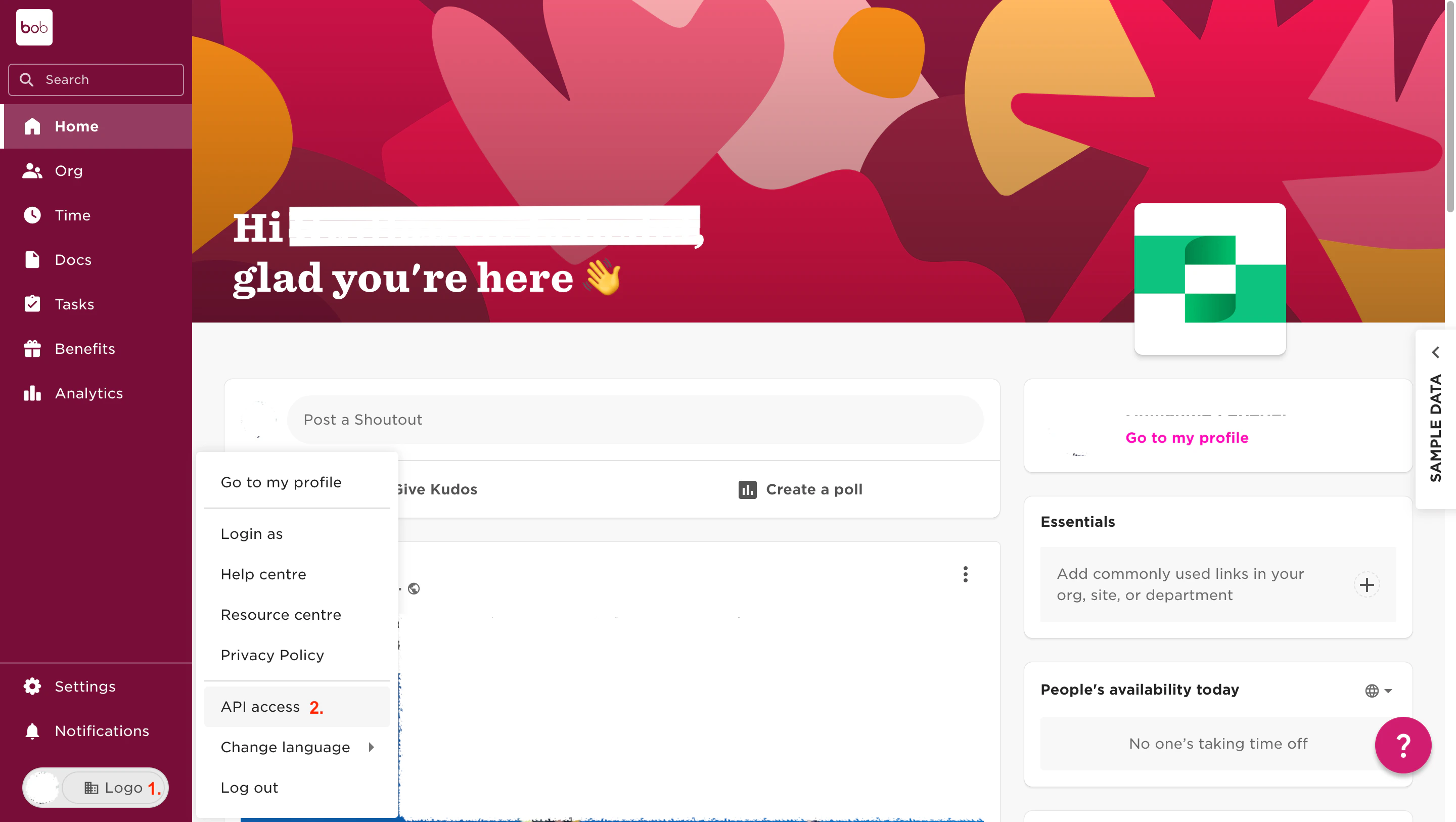
2
Generate token
Click Generate token.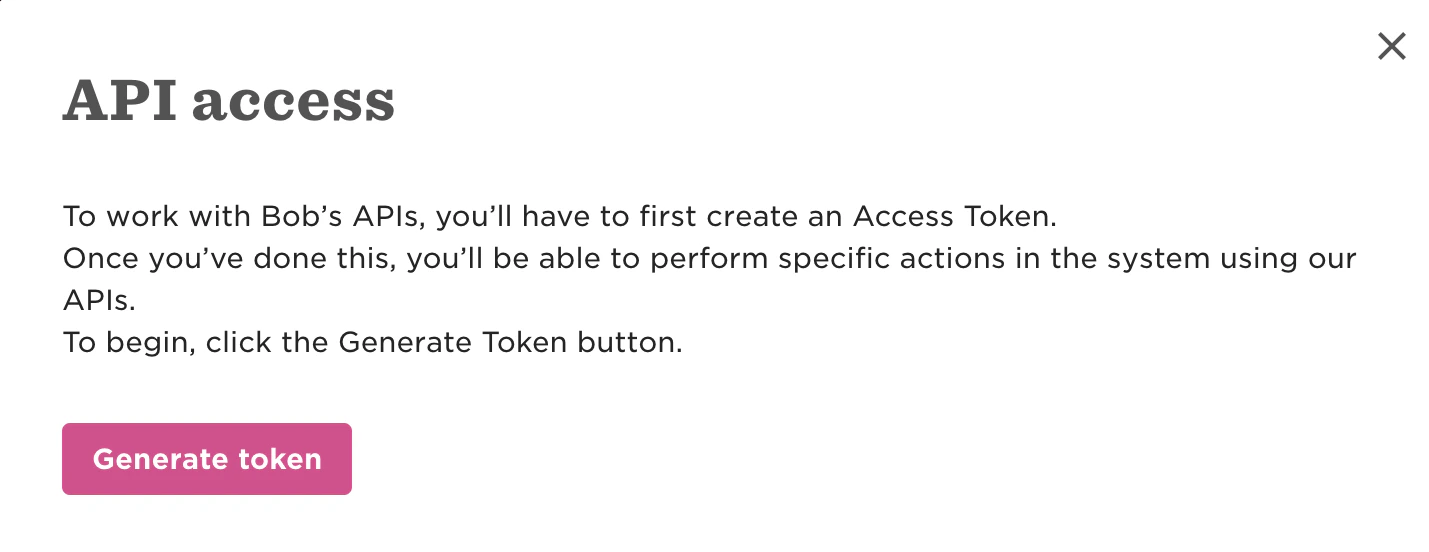
3
Enable Approved Scopes
Enable the following Approved scopes and click Save.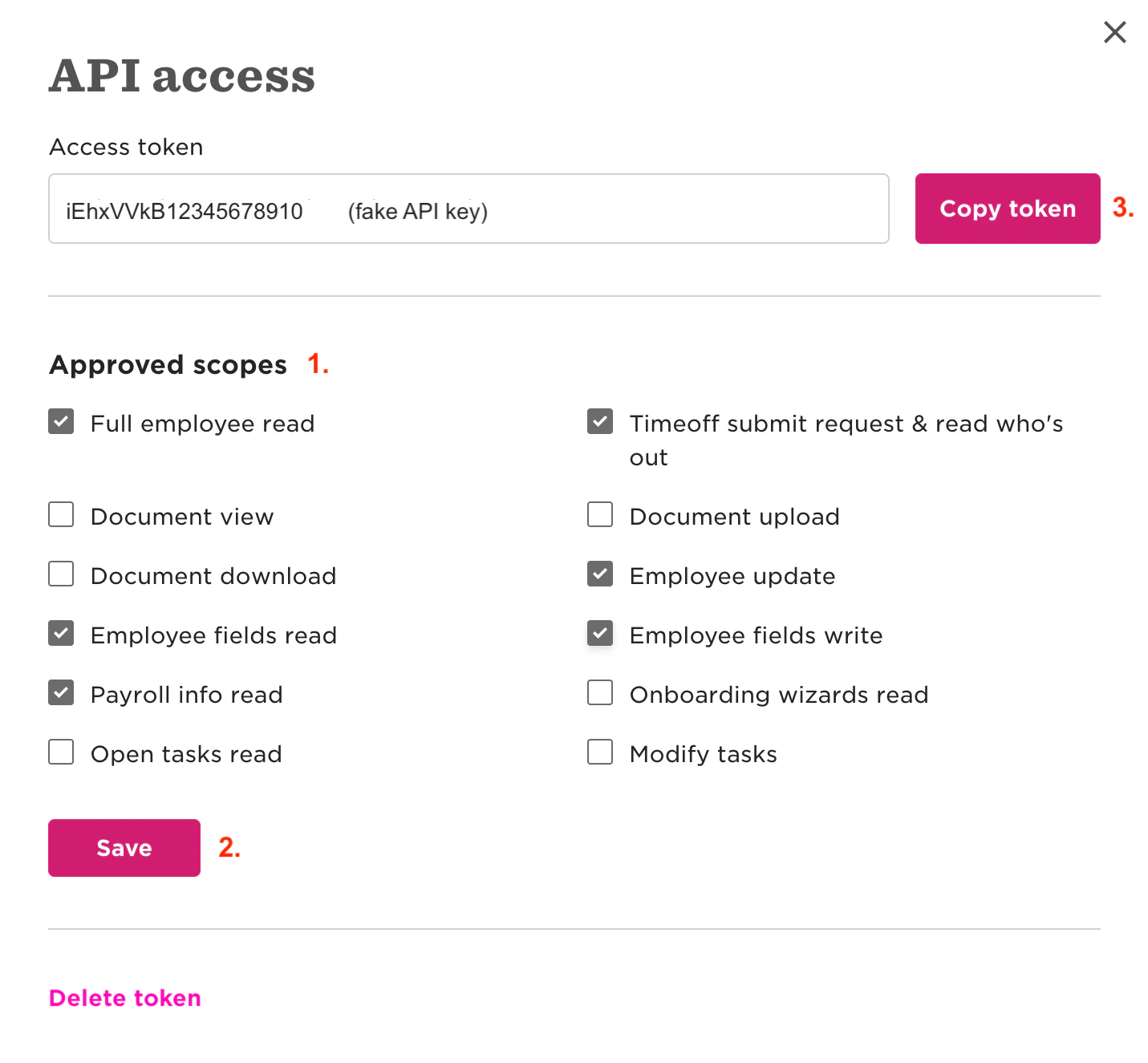
Full employee readEmployee fields readPayroll Info readTimeoff submit request & read who's outEmployee updateEmployee fields write
4
Copy token
Click Copy token.
Linking your account in StackOne
1
Enter API Key
Upon reaching the Link Account page, enter the generated API key and proceed by clicking the 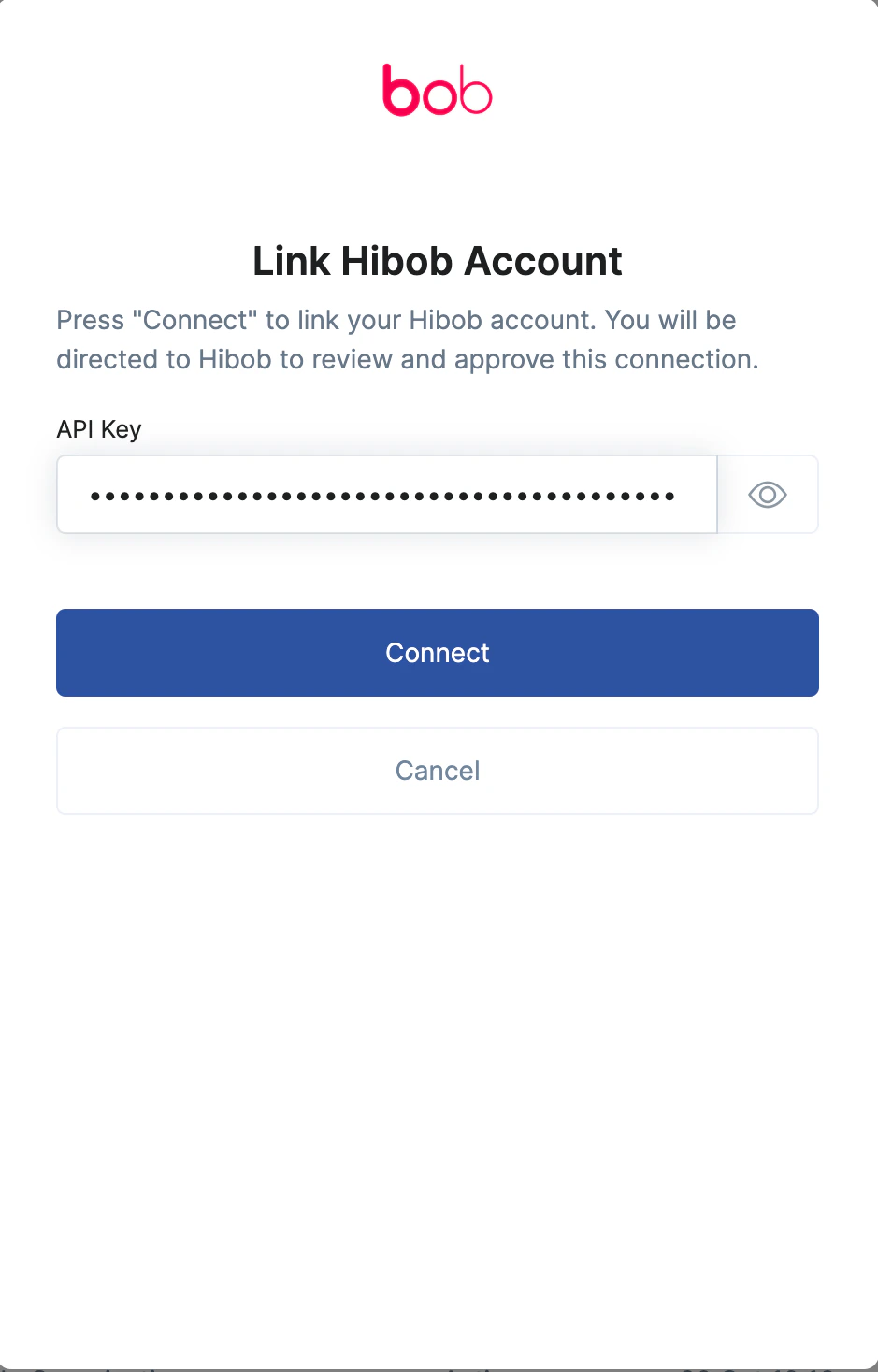
Connect button.Troubleshooting
If you’re gettingCould not connect account. Please check your credentials and try again error:
- Verify you’re pasting the correct API key from the Hibob interface.
- Ensure to Save settings inside the Approved scopes section, since without permissions APIs can’t communicate with each other.