

Log in to Deel
1
Connect to Deel
Click the Connect button to start the login process. You will be redirected to Deel.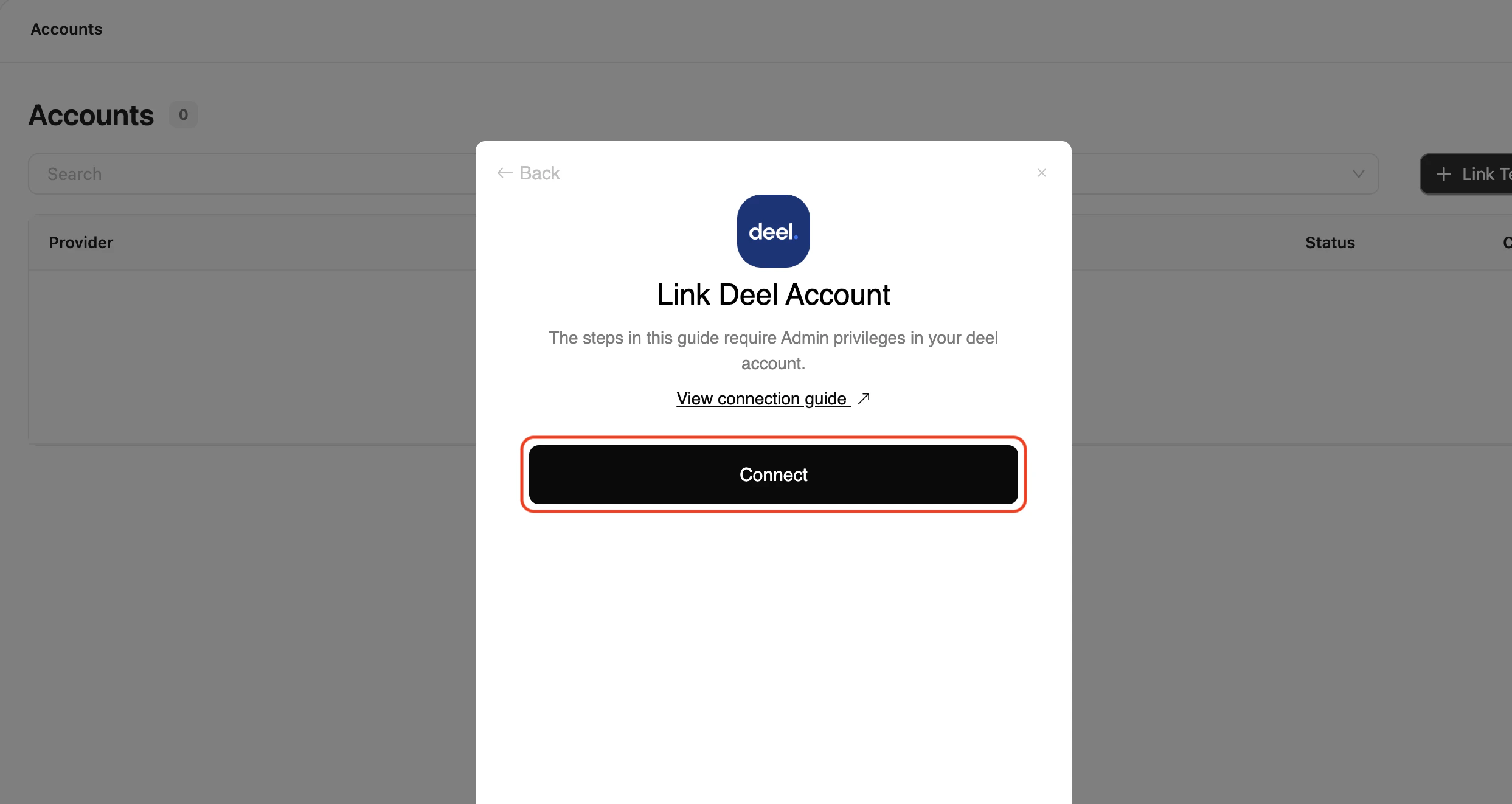
2
Enter Credentials
If necessary, enter your Deel credentials or use one of the sign-in options available that are connected to your Deel account.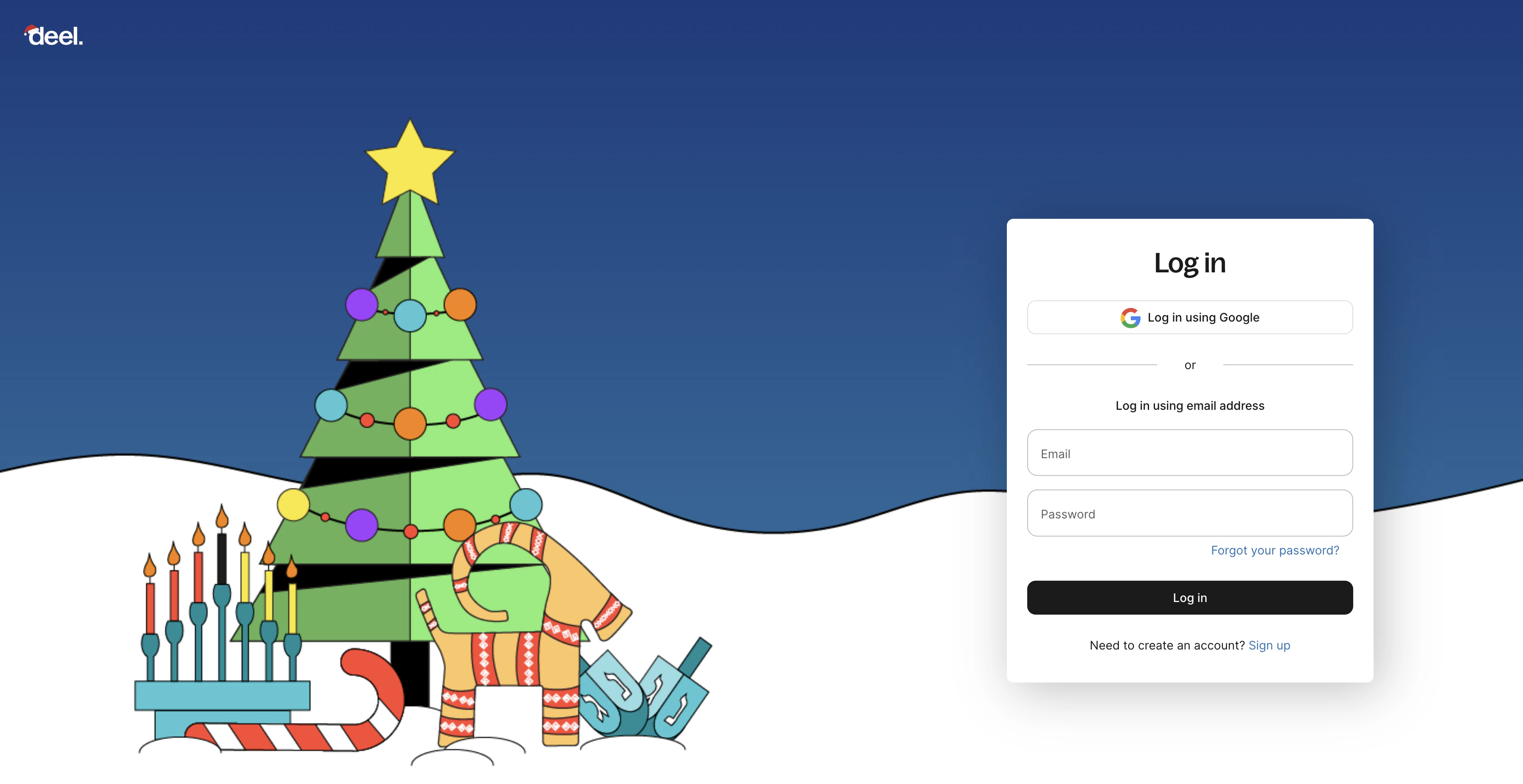
3
Accept the required scopes
In order to connect to your Deel account, you need to grant permission for the App to access your data.Click Allow to proceed.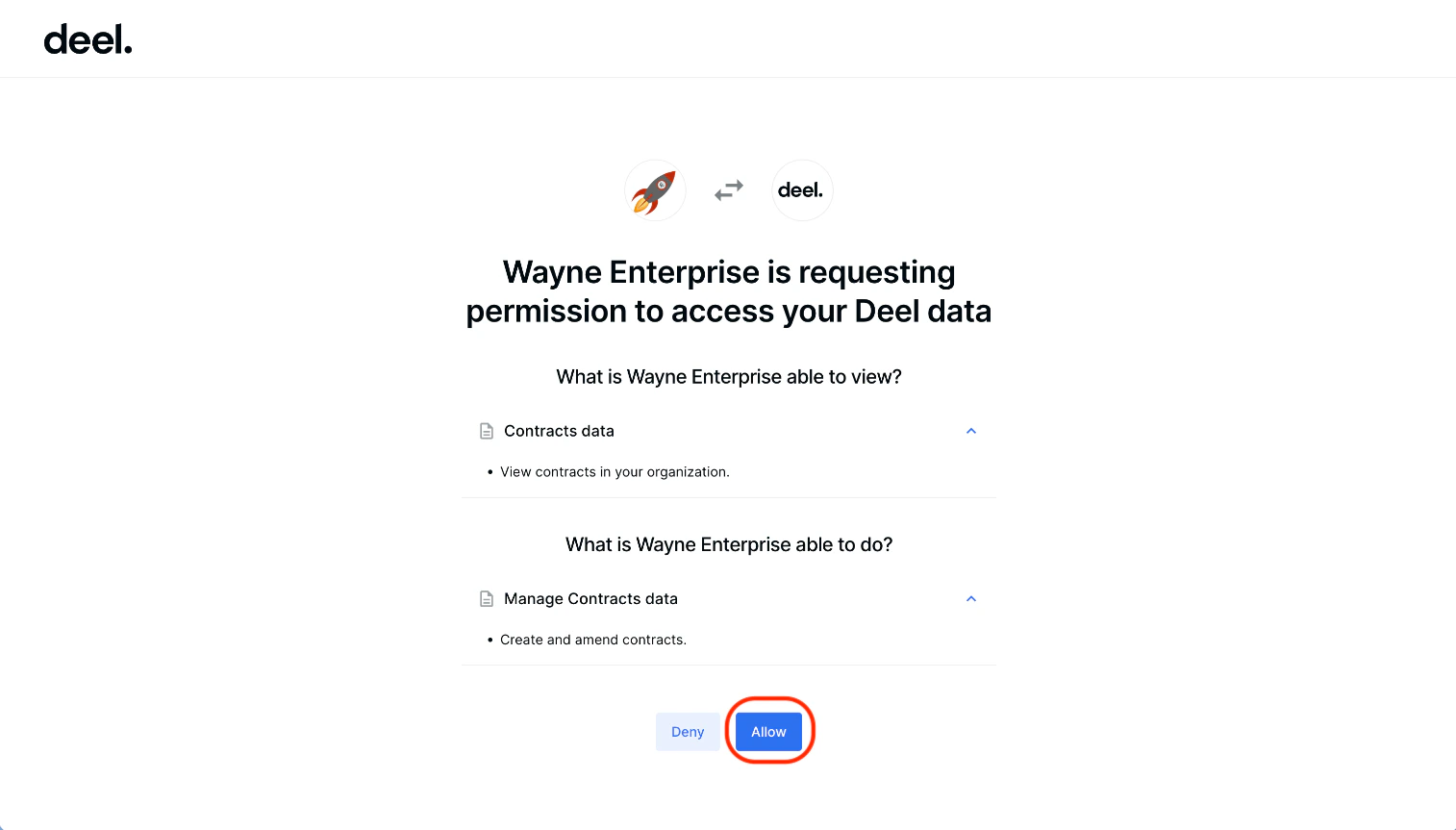
Available data
This integration has the following HRIS Resources available from the provider:- Employees
- Employments
- Companies
- Groups
- Locations